Wazuh SIEM: Centralized Threat Detection
Deploying Wazuh, a SIEM/EDR platform, and enrolling agents across all my machines for centralized log ingestion and real-time threat detection.

Overview
One of the motivations for rebuilding the lab was visibility. In V1, attacks were running against lab machines with no centralized logging, no alerting, and no way to know what was actually happening at the endpoint level.
Wazuh addresses this goal. It is an open-source SIEM and endpoint detection platform that ingests logs from enrolled agents, applies detection rules, and surfaces alerts in a centralized dashboard. This post covers deploying it as a single-node instance and enrolling agents across all my machines.
What Wazuh Provides
Wazuh delivers the same detection workflow used in production SOC environments:
| Component | Function |
|---|---|
| Wazuh Server | Receives logs from agents, applies detection rules, generates alerts |
| Wazuh Indexer | Stores events and alerts (built on OpenSearch) |
| Wazuh Dashboard | Web UI for querying events, investigating alerts, and managing agents |
Agents are lightweight processes installed on each endpoint. They continuously ship logs, file integrity events, and security telemetry to the server. The server decodes events, matches them against rules, and fires alerts when thresholds are met.
For a homelab, this creates a practical learning environment for core SOC skills: log analysis, rule writing, threshold tuning, and alert investigation. All against real machines generating real telemetry.
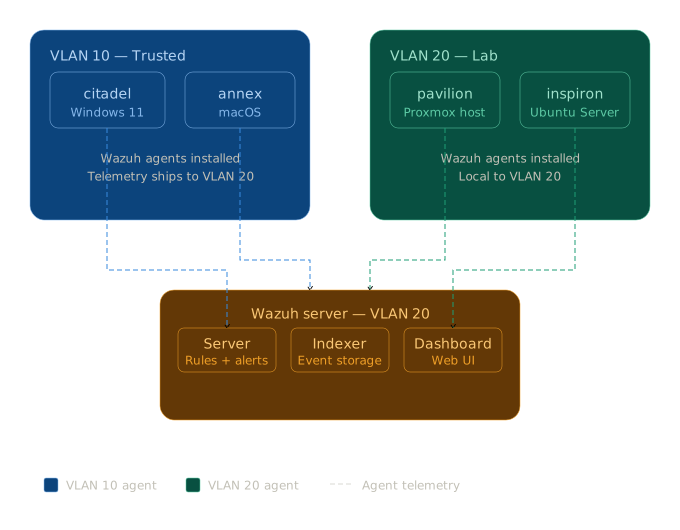 Wazuh Architecture Diagram
Deployment
Why the OVA Method
Wazuh offers two installation paths:
| Method | Pros | Cons |
|---|---|---|
| Quickstart script | Flexible, installs on existing Linux | Sensitive to OS version, memory, network config |
| Pre-built OVA | Boots into known-good state immediately | Less customizable |
The OVA was chosen because it eliminates installation variables entirely. The indexer, server, and dashboard come pre-configured and running. For a lab where the goal is detection and rule writing (not installation troubleshooting), this is the cleaner starting point.
VM Configuration
| Setting | Value |
|---|---|
| VM ID | 300 |
| Deployment | Single-node (server + indexer + dashboard) |
| OS | Wazuh official OVA |
| VLAN | 20 — Lab |
| CPU | 4 cores |
| RAM | 8 GB |
| Disk | 25 GB |
4 cores and 8 GB RAM is the recommended minimum for a multi-agent single-node deployment. Running below this causes the indexer to degrade under load.
The OVA was downloaded to pavilion and imported as a VM disk in Proxmox, no OS installation step required.
1
wget https://packages.wazuh.com/4.x/vm/wazuh-4.14.5.ova
Access
Wazuh is proxied through NPM at https://wazuh.jamcre.dev. NPM requires proxy_ssl_verify off for this backend since Wazuh serves a self-signed certificate. Direct access at https://192.168.20.XX:443 remains available as a fallback.
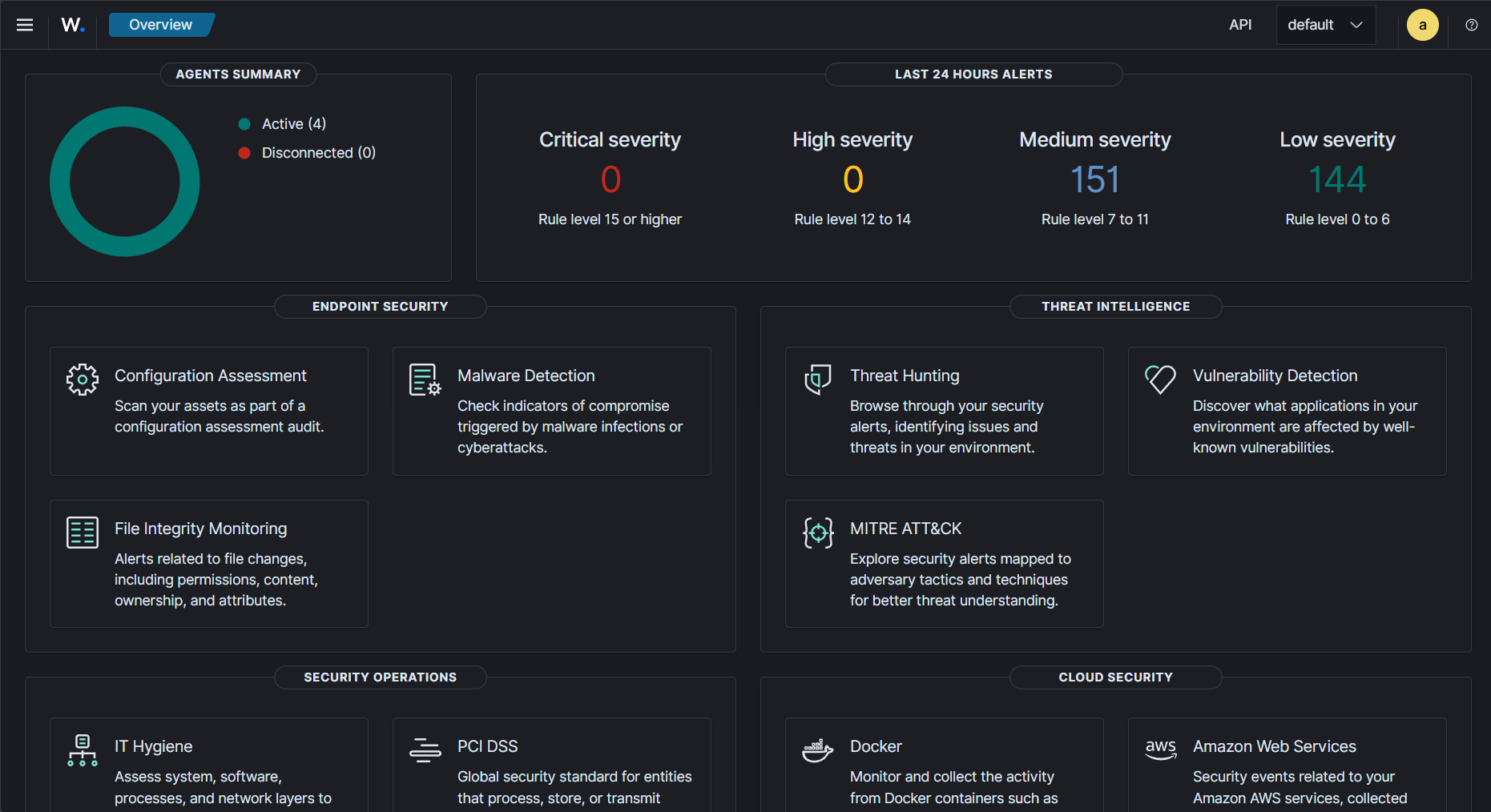 Wazuh dashboard after initial deployment
Agent Enrollment
Four machines, four different operating systems, each enrolled with a Wazuh agent reporting to the central manager.
| Agent | OS | Install Method | Status |
|---|---|---|---|
| citadel | Windows 11 | MSI installer | ✅ Active |
| pavilion | Linux (Proxmox host) | DEB package | ✅ Active |
| annex | macOS Sequoia | PKG installer | ✅ Active |
| inspiron | Ubuntu Server 24.04 | DEB package | ✅ Active |
Windows and macOS installations followed standard Wazuh documentation without issues. The Linux DEB package installations encountered two problems worth documenting.
Issue 1: Missing lsb-release Dependency
On minimal Debian-based systems, lsb-release is not installed by default. The Wazuh agent package halts installation silently if it is missing.
Fix: Install the dependency first:
1
apt install lsb-release -y
Issue 2: MANAGER_IP Placeholder Not Replaced
The DEB installer does not always populate the MANAGER_IP value in /var/ossec/etc/ossec.conf. The literal placeholder string remains in the config file, causing the agent service to refuse to start with no obvious terminal error.
Diagnosis: Check the agent log directly:
1
cat /var/ossec/logs/ossec.log
Fix: Edit ossec.conf, replace the placeholder with the actual Wazuh server IP, then register and restart:
1
2
/var/ossec/bin/agent-auth -m 192.168.20.XX
systemctl restart wazuh-agent
These issues are not prominently documented in the official guide. If your Linux agent silently fails to start, check for these two conditions first.
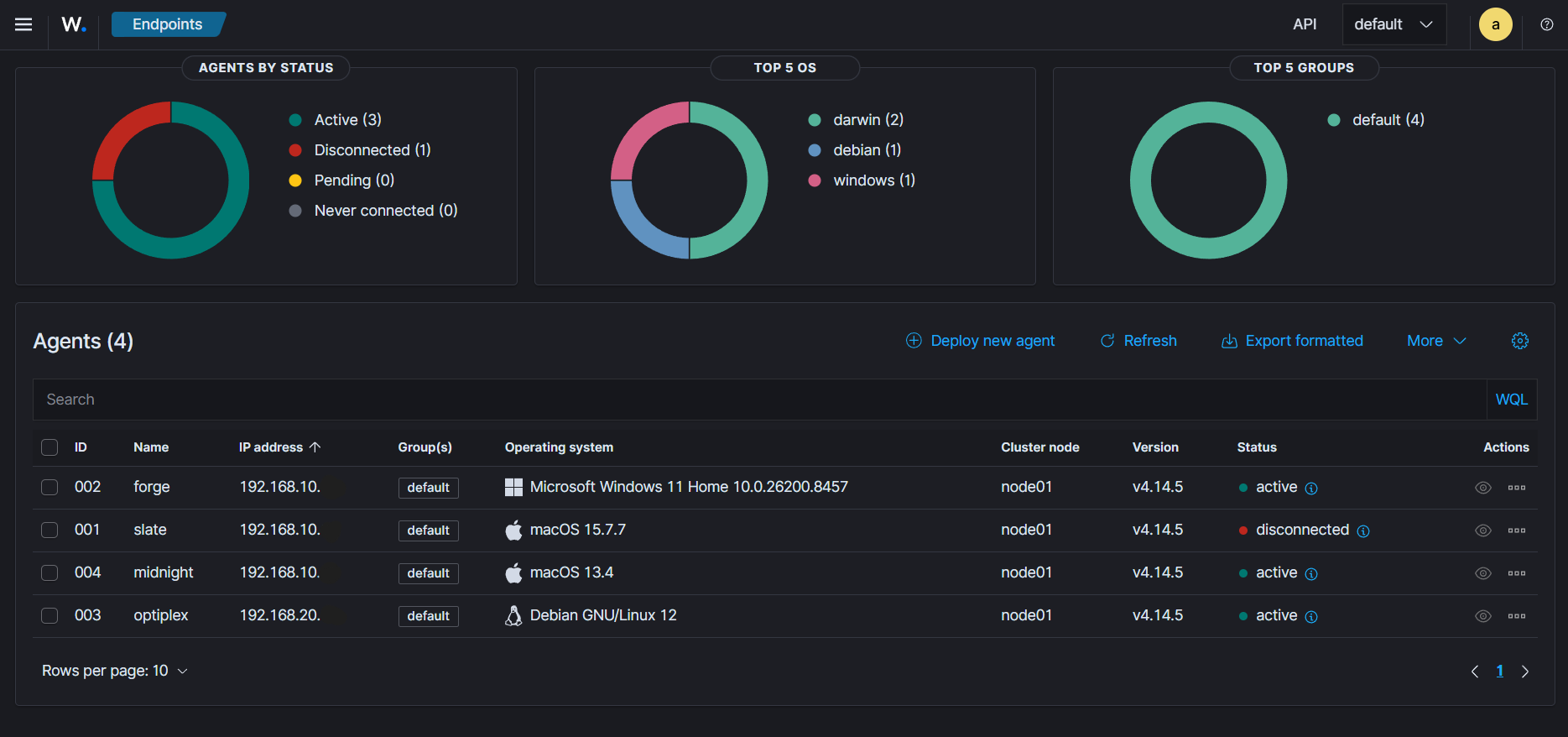 All four agents active and reporting to the Wazuh manager
Some of the agent names don’t match because they’re screenshots taken from the future.
What’s Next
Wazuh is running on VLAN 20 with agents enrolled across all machines. Events from Windows, Linux, and macOS are flowing into the indexer and visible in the dashboard. The detection infrastructure is in place.
Next: writing custom detection rules, four rules covering SSH brute force, Windows failed logon spikes, and unauthorized privilege escalation, each tested and verified against live attack simulations.